Nighthawk 1.0 – Apex
Introduction
It’s been a long time coming, but we’re incredibly excited to announce the release of Nighthawk 1.0 - Apex. This release comes packed with new features, OpSec and quality of life improvements.
A brand new, cross-platform UI
Perhaps the most visible change in this release is one we’ve wanted to make for a long time. Nighthawk now ships with a completely rebuilt operator UI, written from the ground up in Avalonia. For the first time, the Nighthawk client runs natively on both Windows and Linux from a single codebase. Operators who live in Linux finally get a first-class, native experience, and Windows users get a faster, more modern client at the same time.
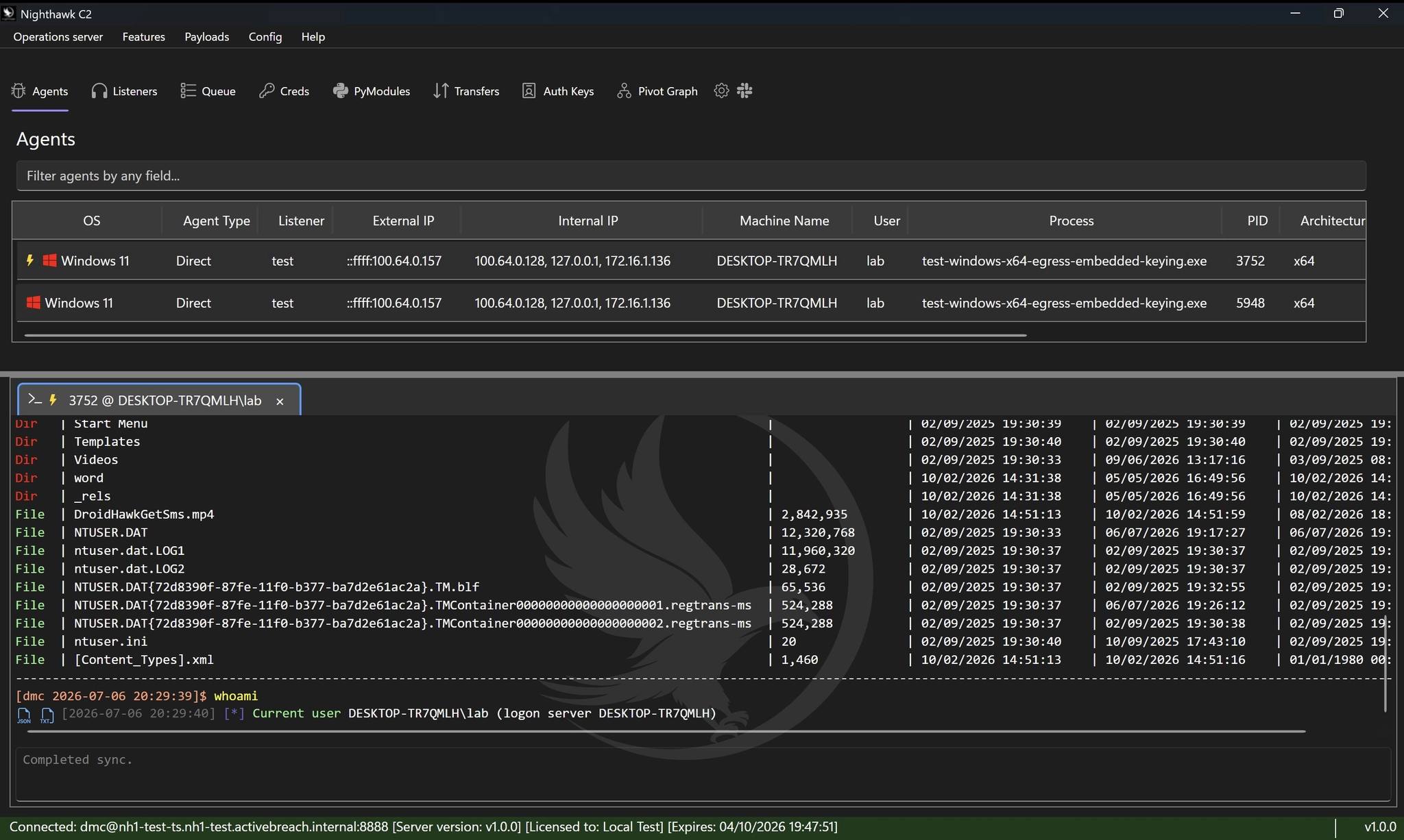
While rewriting the UI, it made sense to introduce new quality-of-life wins for operators; one of the most useful is the split console views. You can now pin multiple consoles side by side and work them in parallel - drive an interactive command console on one side while keeping a live Hidden Desktop session, a second agent, or a long-running task in view on the other. No more constant tab-flicking in the middle of an op.
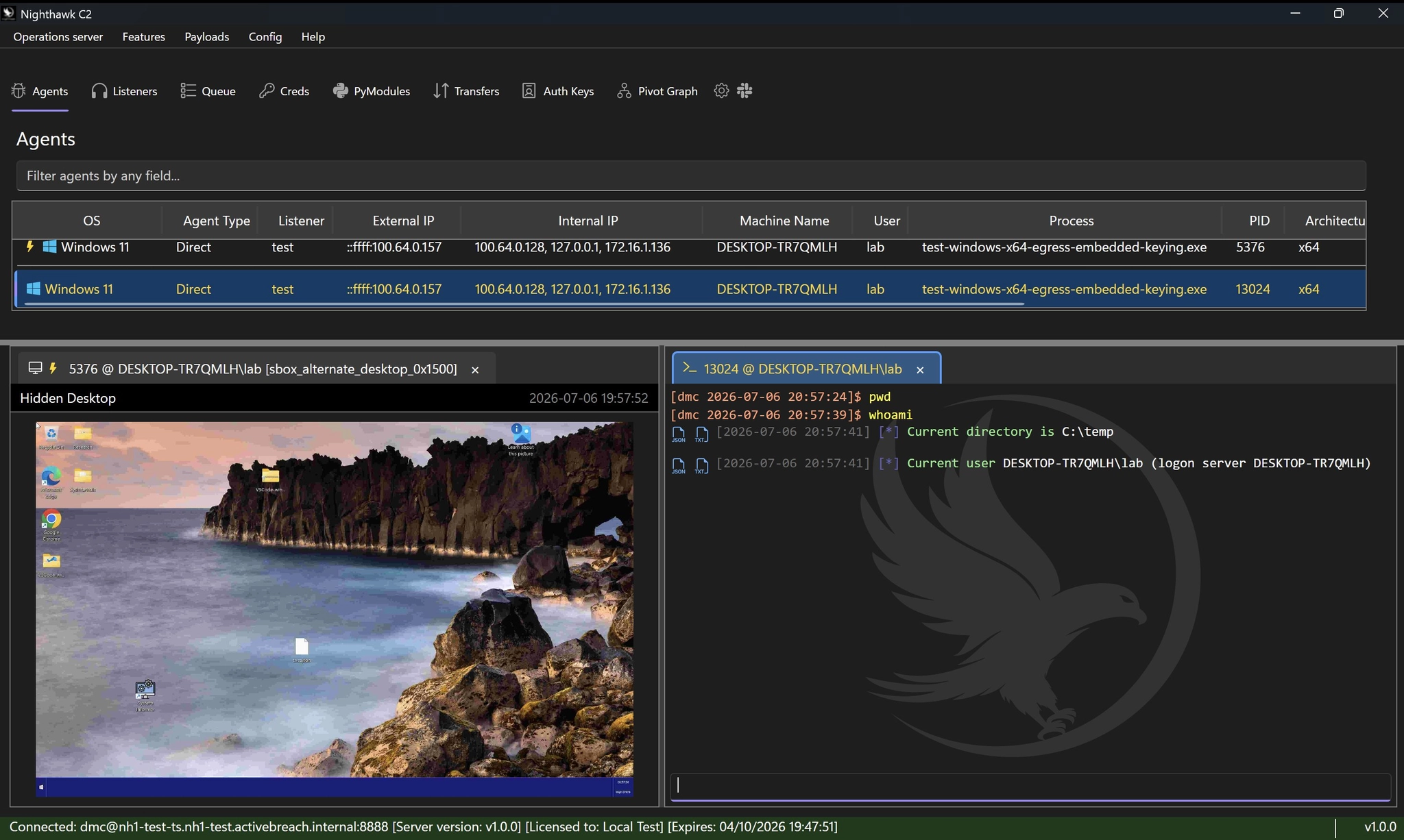
And then there’s theming. Every aspect of the new UI is driven by theme files, so you can restyle the entire client - colours, accents, layout, background images and all - to taste, and share those themes across your team. An example of our “Hacker Theme” is shown below:
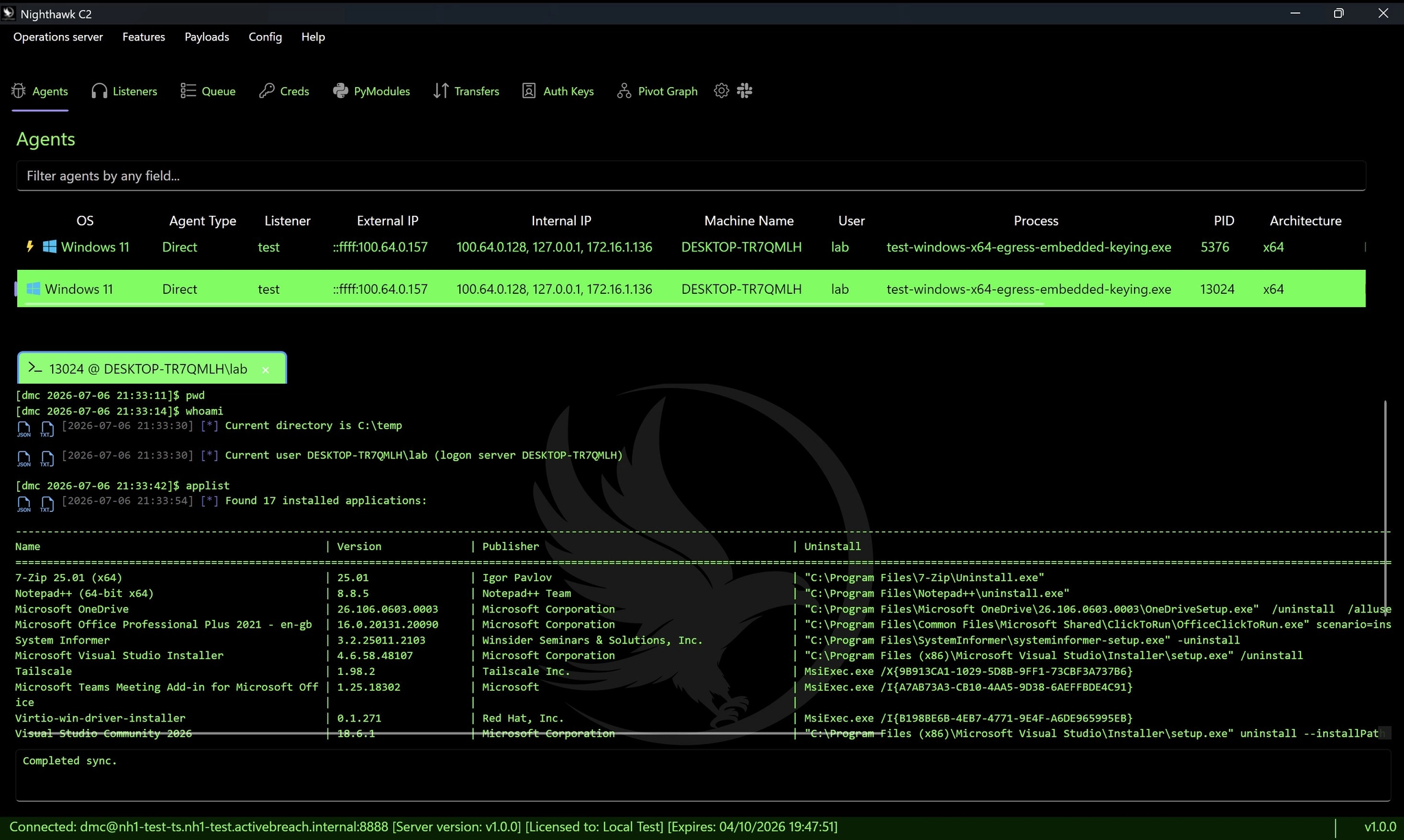
Theme files are exceptionally simple to create; examples can be exported from the Nighthawk UI:
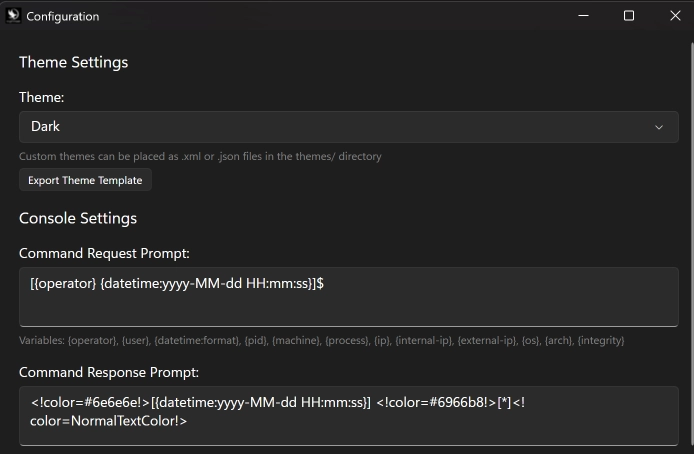
The theme file is a simple XML that allows full customisation of the various colours, fonts and images used in the UI:
<?xml version="1.0" encoding="utf-8"?>
<Theme Name="HackerTheme" Base="Dark">
  <Colors>
    <Color Key="AppBackground">#000000</Color>
    <Color Key="AppForeground">#75fa4c</Color>
    <Color Key="AppForegroundColor">#75fa4c</Color>
    <Color Key="TopPanelBackground">#000000</Color>
    <Color Key="HeaderBackground">#000000</Color>
    <Color Key="ConsoleHeaderBackground">#000000</Color>
    <Color Key="InputBackground">#000000</Color>
    <Color Key="SurfaceBackground">#000000</Color>
    ...
Once the theme file has been customised, simply drop the XML inside the themes folder and it will be available for selection under the configuration menu.
As a side, we’d like to extend a huge thank you to Dwight Hohnstein from IBM X-Force for all the recommendations and pointers for the UI.
Call Stack Masking Techniques
The new UI lands as part of a much larger release - this is Nighthawk 1.0.0. Alongside the interface overhaul, we’ve packed in a stack of new OpSec, including two new CET-compatible masking techniques.
CET first came on to our radar as being a problem we needed to solve in 2024 as operating system and hardware support became more widespread. In our November ‘24 0.4 release, we added CET support for a number of key OpSec features within the beacon, making it possible to beacon from CET enabled processes such as Edge and Chrome.
One OpSec feature that we did not add CET support for at the time was our stack masking. This did not come until September ‘25 where we dipped our toe in the water of CET compatible masking by introducing it as a configurable OpSec option in our new loader generator (nicknamed Clementine):
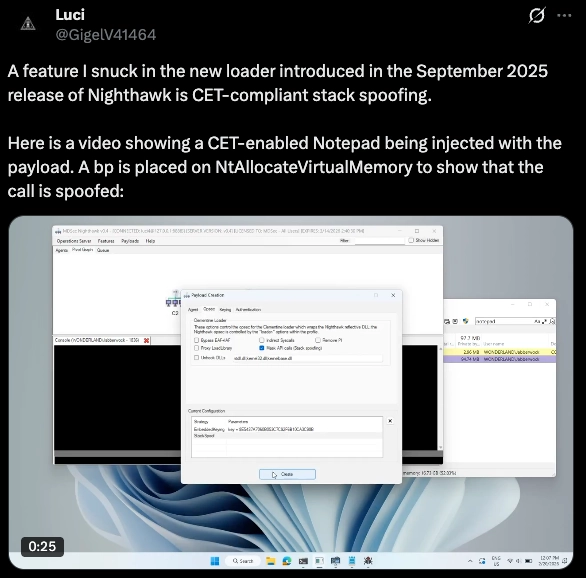
Clementine is able to bootstrap CET compatible masking to Nighthawk’s loading process, or indeed apply it globally to any third party DLL during sRDI. This masking technique relied on the Process Instrumentation Callback to apply its masking. At the time, this was the first instance of CET compatible masking in any commercial or open-source implant. There was one important caveat however; the masking did not replace the main beacon’s masking implementation (which remained incompatible with CET) and did not allow the stacks to be configurable.
Nighthawk 1.0 introduces two further, new CET compatible masking implementations. Both of these techniques allow full implant masking, across all post-exploitation tooling, with one of the techniques supporting user configurable stack frames on a per NT API basis. The masking technique used can be altered using a new call-stack-masking-mode configuration option. The two available modes are gadgets and syscalls.
The gadgets option uses a technique that leverages Counterfeit Object Oriented Programming (COOP) gadgets, which are small reusable code chunks. Using this masking technique, we’re able to mask every imported function, beacon wide, at the point of invocation and without any hooks being applied.
User Defined Synthetic Frames
The second technique we introduced can be enabled using the syscalls configuration option. This technique works slightly differently in that it allows any syscalls made by the implant to be masked, including those made by imported functions. The key difference to the gadgets technique is that here, calls are masked at the point of entry to the kernel. Further, we introduced a new stack-masking configuration option that permits users to configure different synthetic frames for each individual API calls.
By default, the list of API calls that can be configured with User Defined Synthetic Frames is:
NtSetContextThread,NtCreateThreadEx,NtResumeThread,NtSuspendThread,NtQueueApcThread,NtQueueApcThreadEx,NtAllocateVirtualMemory,NtProtectVirtualMemory,NtWriteVirtualMemory,NtReadVirtualMemory,NtCreateSection,NtOpenSection,NtUnmapViewOfSection,NtCreateUserProcess,NtCreateProcessEx,NtOpenProcess,NtOpenThread,NtDuplicateObject,NtSetInformationProcess,NtSetInformationThread,NtOpenProcessToken,NtAdjustPrivilegesToken,NtLoadDriver,NtSystemDebugControl,NtMapViewOfSection,NtDeviceIoControlFile,NtCreateFile,NtOpenFile,NtReadFile
Masking every syscall with User Defined Synthetic frames would be expensive so instead, we provided a list of syscalls that typically monitored by EDR. However, users can simply add additional calls to the list and they will be supported; for example, if a user wanted to ensure disk writes are masked, they could simply add an additional entry for NtWriteFile.
Synthetic frames can be constructed using configurations similar to the following example for NtMapViewOfSection :
"NtMapViewOfSection":
    [
        {"func":"kernelbase.dll!MapViewOfFile", "mode":"offset", "param":"0xe9"},
        {"func":"kernel32.dll!BaseThreadInitThunk", "mode":"offset", "param":"0x17"},
        {"func":"ntdll.dll!RtlUserThreadStart", "mode":"offset", "param":"0x2c"}
    ]
In this example, we construct a layout that uses frames with offsets in to individual functions; for example the preceeding frame on the stack would appear to originate from 0xe9 bytes in to kernelbase.dll!MapViewOfFile . We can however configure this in multiple ways, with the random and search modes which will add a random positive offset from the function start or alternative search for a byte pattern which it then uses to calculate the fake return address, such as:
{
  "func":"kernelbase.dll!MapViewOfFile",
  "mode":"search",
  "param":"48895c24AA48ff15AAAAAAAA"
}
This mode also supports wildcards through the use of the AA options to account for variability across builds. This is more portable than a hardcoded offset because the code sequence may remain recognisable even if exact addresses or displacements change.
BOF Loader Improvements
In our 0.2.6 release back in September ‘23 we added module stomping support for PE and COFF execution. This was designed to address a common visibility issue with in-memory post-exploitation tooling: even when execution is successful, call-stack telemetry can often trace activity back into private, anonymous, or otherwise unbacked executable memory. By stomping into a legitimate module-backed region, PE and COFF execution could be made to appear as though it originated from a loaded image rather than from arbitrary virtual memory.
However, modern stack inspection does not stop at checking whether a return address belongs to a mapped module. On Windows x64, structured exception handling and stack unwinding depend on runtime function metadata from the module’s exception directory. This metadata describes where functions begin and end, and how the unwinder should recover the previous frame.
If module-stomped code does not have corresponding unwind information, the resulting stack can still look abnormal. A return address may fall inside a legitimate DLL mapping, but the unwinder may be unable to associate it with valid function metadata. This can lead to incomplete stack traces, failed unwinds, or frames that appear module-backed but structurally inconsistent.
This release improves that behaviour by adding support for unwind metadata from the module’s exception directory during module-stomped execution. In practice, this means Nighthawk is not only concerned with where code executes, but also with whether the surrounding metadata is consistent with how Windows expects legitimate x64 code to unwind.
This provides a more complete approach to module-stomped PE and COFF execution: module-backed memory for the execution region, and coherent unwind metadata for stack walking.
New NHLoader Features
NHLoader, Nighthawk’s PE generator / infector had a significant revamp in this release, introducing a number of new features and techniques. These included:
- New PE infection techniques to embed or split the payload inside the infected binary,
- Support for encoding the shellcode inside the infected binary in a number of formats, including BMP, base32, WAV, PNG and XML,
- Support for reading the shellcode from a number of additional locations including alternate files, HTTP URLs or the registry,
- A new persistence mode that allows registration of new WMI event subscriptions, or schedule task creation in addition to service binaries and COM hijacking DLLs,
- New support for CLI based JSON configurations.
Miscellaneous Improvements
In addition to new features and bug fixes, a large number of improvements were made across the code base, including:
- The C2 listener service was rewritten in .NET, allowing support for multiple listeners to share the same port,
- API support for command validations and request and response transformers; now operators can receive notifications and intercept scheduled commands before they are run, in addition to modifying the request before its passed to the beacon or modifying the response before its returned to the operators,
- Reintroduction of the
spriandstagcommands to tag important events within log output during reporting, - Added support for Cobalt Strike’s BeaconDownload API,
- A large number of bug fixes that result in increased performance and improved stability.
Happy Hacking!